Australia Map Separated States: Your Ultimate Design Toolkit
More Than Just a Map: A Design Powerhouse
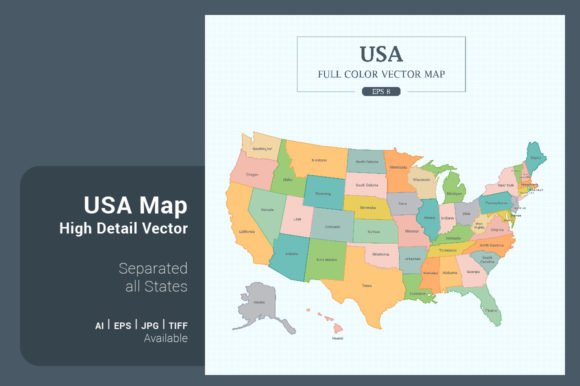
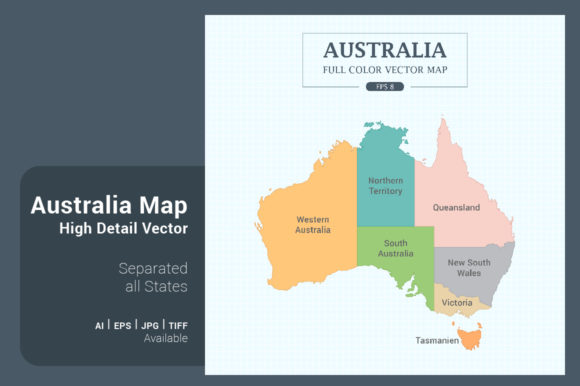
When you need to represent Australia in a project, grabbing a generic map image from a search engine often leads to frustration. The resolution is poor, the colors are locked, and separating the states feels like a puzzle. The Australia Map Separated States toolkit solves this by providing a premium, vector-based asset that puts you in complete control. This isn't just a picture of a map; it's a comprehensive design system for Australia, broken down into its individual states and territories. Each component is a separate, editable object, allowing you to highlight specific regions, customize colors to match your brand, and scale the artwork to any size without losing a pixel of quality. The visual personality is clean, modern, and infinitely adaptable, making it a foundational asset for any creative professional.
The core appeal lies in its flexibility. You receive multiple stylistic versions: a full-color version for vibrant presentations, a mono-color version for sleek, single-tone branding, and a detailed outline version perfect for minimalist designs or overlays. There's even a unique map flag style and outlines on different backgrounds, like a crisp white or a textured green blackboard. The square format (5000x5000 pixels) is particularly thoughtful, as it works seamlessly for social media posts, app icons, and modern web layouts. Provided in industry-standard formats like .AI8, .EPS8, .JPG, and .TIF, this toolkit integrates directly into your workflow in Adobe Illustrator, Photoshop, or other compatible software.
Practical Applications for Real-World Projects
So, where does this Australia Map Separated States asset actually shine? The applications are vast. For brand identity and logo design, a custom-styled map can become a core element for businesses with a national focus—think logistics companies, tourism boards, or educational services. Using the outline version, you can create a subtle, sophisticated watermark for stationery or a bold, colored icon for a website header. In editorial design and publishing, journalists and bloggers can use the separated states to create clear, informative infographics about regional data, election results, or demographic studies. The ability to color each state independently turns a complex statistic into an instantly understandable visual story.
Digital and web design projects benefit enormously. Imagine an interactive website for a travel company where users hover over Queensland to see tour packages, or a presentation for a marketing agency showcasing campaign reach state-by-state. The vector nature ensures these graphics load quickly and look sharp on any screen, from a mobile phone to a 4K monitor. For social media graphics, the pre-formatted square shape is ready to post. Create engaging stories, highlight regional promotions, or design educational content that stands out in a crowded feed. Small business owners and crafters can also use these assets for packaging design, creating labels for Australian-made products, or for personal projects like custom wall art or educational posters.
Integrating the Map into Your Design Workflow
Choosing the right version of the map depends on your project's needs and the existing font pairing and color scheme. If your design already uses bold typography and vibrant hues, the mono-color or outline map might provide balance without visual competition. Conversely, if your layout is minimalist, the full-color map can serve as a striking focal point. Always consider the context of your typeface choices. A map with clean lines pairs well with a modern sans serif font, while a more detailed outline could complement a classic serif font for a traditional feel. Testing is key—place the map alongside your text elements and other design assets to evaluate visual hierarchy and overall cohesion.
When it comes to customization, the process is straightforward. In vector software, you can ungroup the elements, select individual states, and apply your brand's exact color values. The high resolution means you can zoom in to work on fine details or scale the entire map down for a business card without any loss of clarity. This adaptability makes it a true premium font and graphic resource—it's not a static image but a dynamic component of your modern typography and visual toolkit. For commercial projects, the included licensing typically allows for broad use, but it's always prudent to review the specific terms to ensure they cover your intended application, whether for digital ads, printed merchandise, or client work.
Ultimately, the Australia Map Separated States package is about efficiency and professionalism. It eliminates the time-consuming process of tracing maps or settling for low-quality alternatives. By providing a clean, customizable, and comprehensive solution, it empowers designers, marketers, and creators to communicate geographic information with clarity and style, strengthening the brand perception and engagement of any project it touches.